FREE Shipping On All Orders

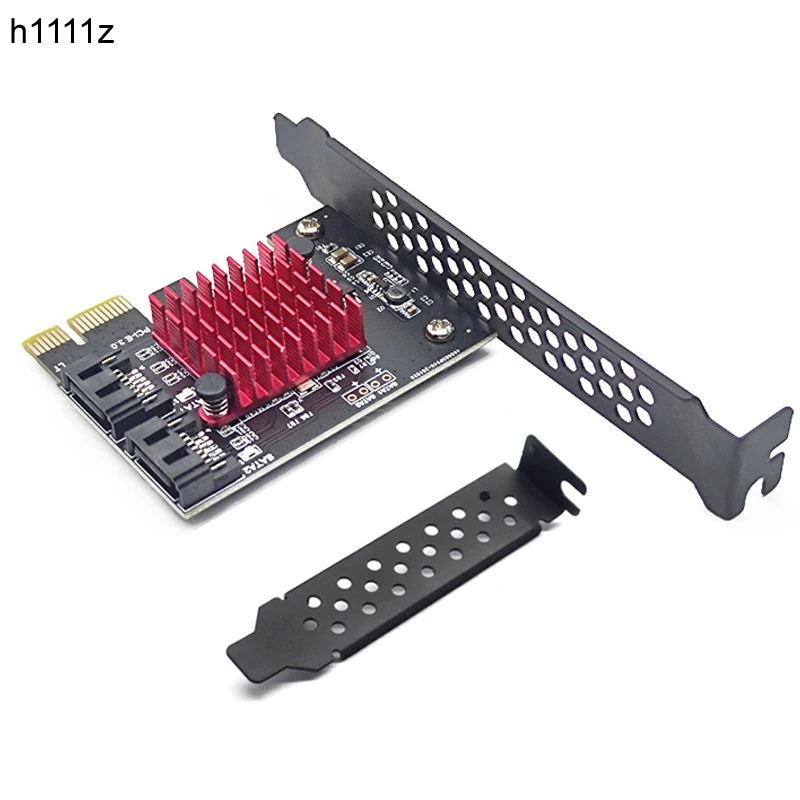
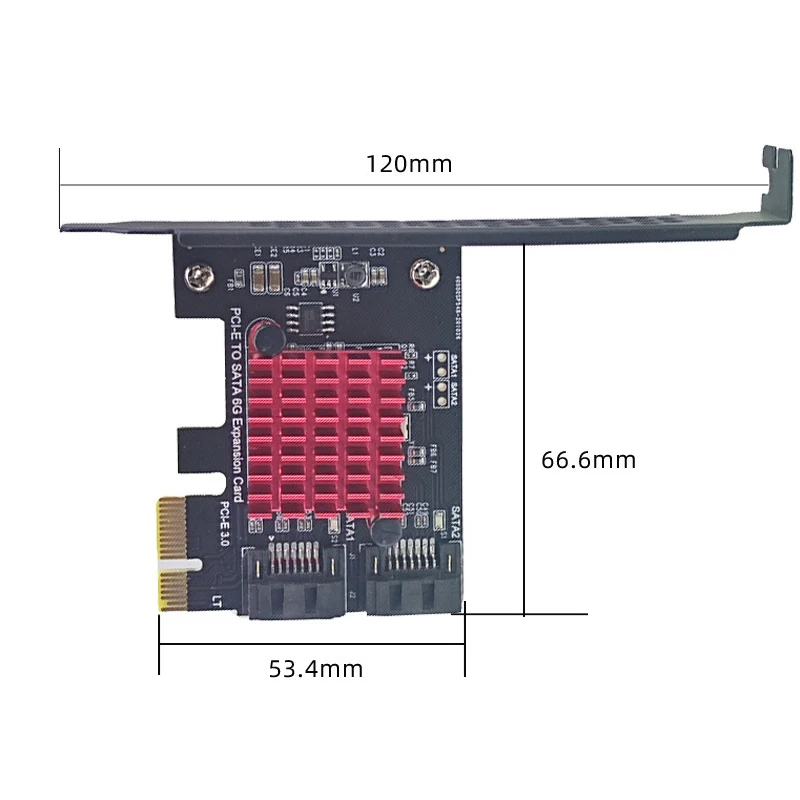
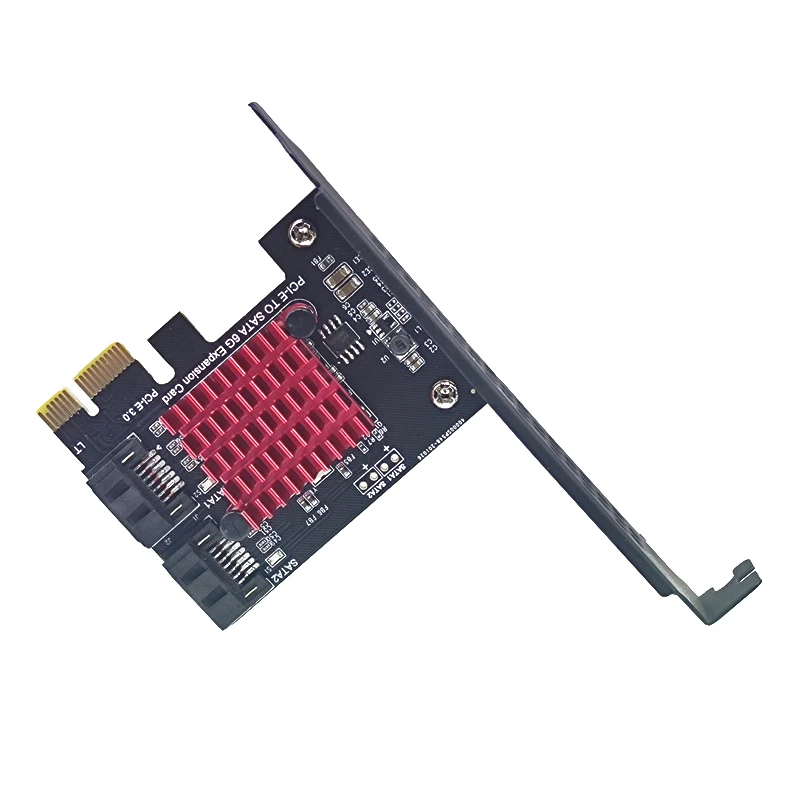
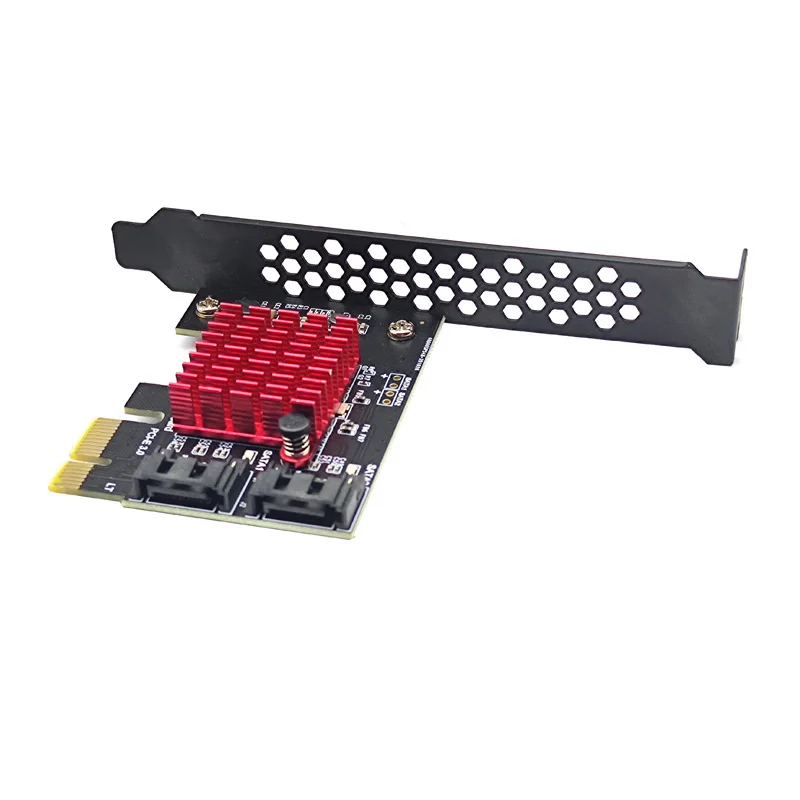
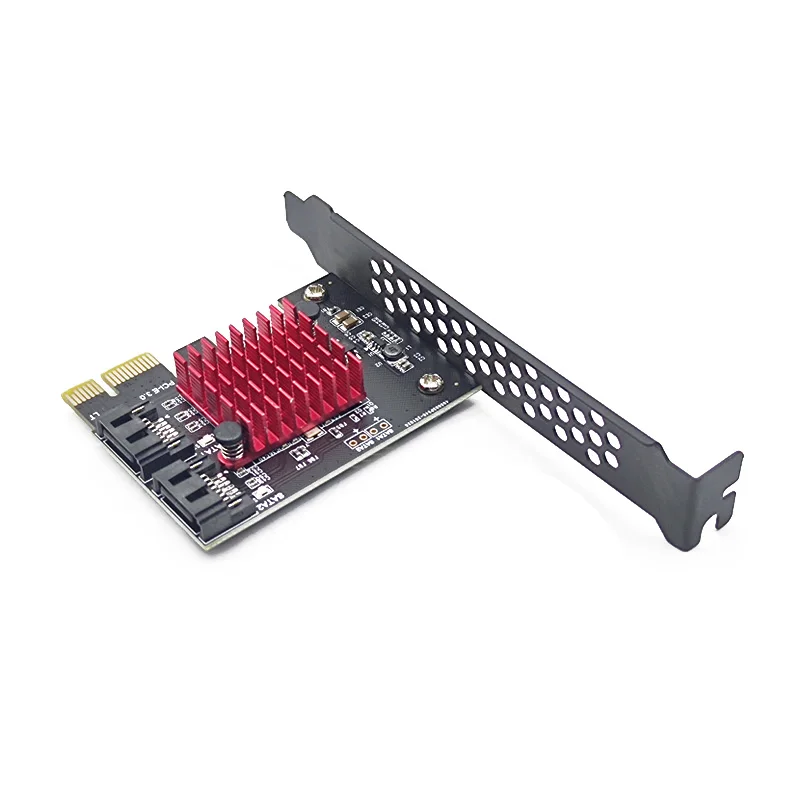
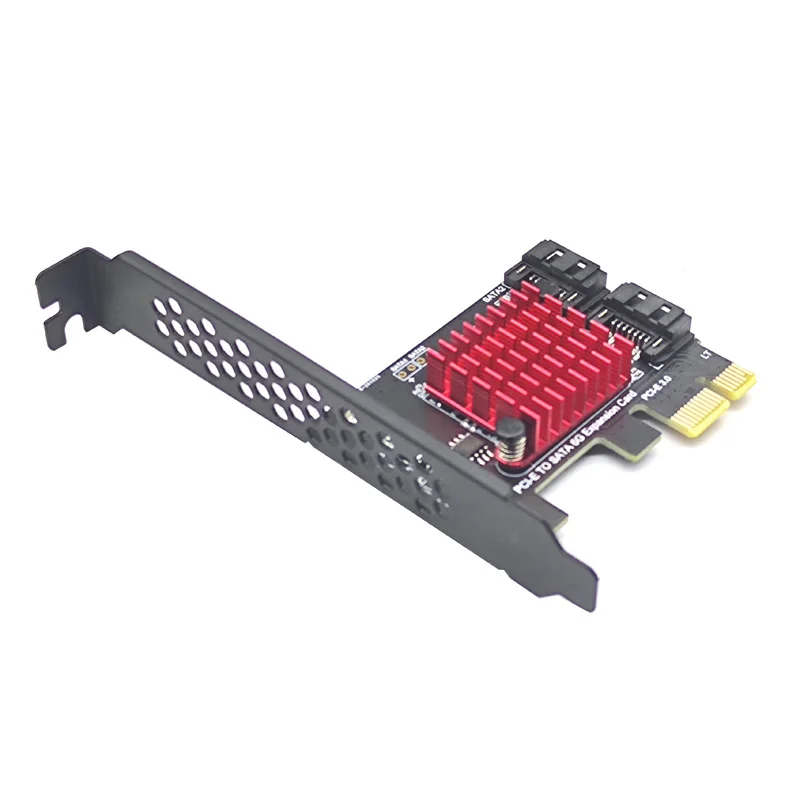
PCIe to 2 Ports SATA 3 III 3.0 6Gbps SSD Adapter PCI-e PCI Express x1 Controller Board Expansion Card Support x4 x6 x8 x16 Riser    

About Description:

Feature:
1. Compliant with Serial ATA Specification 3.0, down compatible with SATA2.0 SATA1.0.
2. Conformance to PCI-Express v2.0 specifications, down compatible with PCI-Express v1.0.
3. Supports communication speeds of 6.0Gbps,3.0Gbps and 1.5Gbps.
4. Supports Gen 1i,Gen 2i,Gen 2m, Gen 2x and Gen 3i.
5. Supports two SATA Ports.
6. Supports AHCI 1.0 and IDE modes.
7. Supports Native Command Queuing(NCQ)
8. Supports Port Multiplier FIS based switching or command based switching.
9. Supports Hot Plug and Hot Swap.
10. Compatible with SATA 6G,3G and 1.5G Hard Drives

Specification:
Product interface: PCI-E 1X 4X 8X 16X
Chipest: JMB582
Support specification: SATA3.0 7PIN
Bus interface: PCI-Express X1 slot
Extension interface: 2 SATA3.0 interfaces
System requirements: there is an available PCI Express X1 slot, while supporting PCI-E X2 X4 X8 X16
Operating system: Windows10/8/7 (32/64 bit) / Vista (32/64 bit) / XP/2003/2008/linux


Reminder: Speed is related to many factors: computer configuration, slot bandwidth, hard drive itself,

The platform environment and speed measurement software will affect the speed. All expansion cards in this store are not guaranteed

How much speed can you achieve in actual use.

If you want the so-called high-speed, please change the motherboard directly.

1. The best effect can be achieved with SATA3.0 data cable

2. PCI-E must have a slot above V2.0 (GEN2), if V1.0 (GEN1), the speed is

140M-200M, PCI-E whether it is X1 or X16, as long as it is V2.0 version,

If there is a spare X16 slot, just plug it into the X16 slot. Only 16X is GEN2 for motherboards below H81.

1X is GEN1, if you want high speed, please plug it into the 16X graphics card slot.

3. Motherboard BIOS setting: SATA mode should be changed to AHCI, although some motherboards PCIE is version 2.0

Yes, but BOIS does not enable high-speed transmission mode by default (gen2 high speed mode)

Need to be turned on manually.


Reminder: As Lenovo and DELL computers have shielded the BIOS interface of the third-party array card,

It may cause unpredictable compatibility problems. Please be careful when purchasing array cards from Lenovo and Dell computer users.

Place the order carefully, thank you for your cooperation!


SATA3.0 expansion card in PCI-E various speed comparison: (for reference only)

PCI-E 1.0 GEN1 140-200M

PCI-E 2.0 GEN2 350-400M

PCI-E 3.0 GEN3 360-410M


Note:
Product driver files:
CD-ROM: … DRIVER SATA CARD Marvell 9125, and then select the appropriate folder according to the system
The PCIE to SATA3.0 adapter card is used as follows:
Connection conditions and solutions of system disk and PCIE to SATA3.0 adapter card:
1. The SATA interface mode of PCIE to SATA3.0 is AHCI mode. If you want to insert a system disk on our card, the premise is that your system disk must be installed in AHCI mode when the system is installed on the motherboard, otherwise it cannot pass. Our card transfer card activates the system.
2. If it is determined that the SATA interface installation system of the system disk inserted in the motherboard is AHCI mode, you can directly insert the hard disk into our card, and then enter the motherboard BIOS to set the system disk to the first boot.
3. Both of the above conditions are met. If it still fails to start or restart repeatedly, it may be that the hard disk interface of the motherboard conflicts with our adapter card. The solution is to enter the motherboard BIOS and set the motherboard hard disk interface option to Disabled, save and restart to start the system

Second, the connection conditions and solutions of ordinary disk and PCIE to SATA3.0:
1. When the system disk is inserted on the motherboard and the ordinary disk is inserted on the PCIE to SATA 3.0 card, then only the adapter card information and the ordinary disk model need to be detected at startup.
2. If condition 1 is satisfied and the system cannot be started, then enter the motherboard BIOS and set the system disk to the first boot.
Third, the system disk and ordinary disk and PCIE to SATA3.0 connection and solution:
1. Premise, if the system disk with the original motherboard installed system is AHCI mode test, you can use the following methods to achieve it. If the system is installed in IDE mode, then you can only reinstall the system by PCIE to SATA3.0. .
After the conditions of 2 and 1 are satisfied, you cannot enter the BIOS of the motherboard, and set the first system disk as the first boot.
3, 1.2 conditions are met, or can not start, then it may be a conflict of integrated SATA interface, please enter the motherboard BIOS and set SATA to Disabled.


You’ll receive:

1 x PCI-E to SATA 3.0 Extension Card
1 x Small and Big Bracket
1 x Screw

  • Please check pictures for more details.

Weight 18 lbs
Dimensions 6 in
Main Chips

JMB582

SATA Port Quality

2-Port SATA3.0

Bus Type

PCI Express X1

Feature

with large heatsink cooling

SATA1

controller sata 3

SATA2

pci-e sata

SATA3

pcie sata

SATA4

sata controller

SATA5

sata

SATA6

sata3 pcie

SATA7

sata card

SATA8

pci express sata

SATA9

sata 3 pcie

SATA10

sata expansion

SATA11

pcie sata 3

SATA12

sata multiplier

SATA13

sata pcie

SATA14

PCIE to dual sata card

SATA15

Add On Cards

SATA16

pci sata

SATA17

pcie to sata

SATA18

sata pci

SATA19

sata extension card

SATA20

sata pcie adapter

SATA21

pcie sata expansion card

SATA22

sata expansion card

SATA23

sata to pcie

SATA24

pci to sata

SATA25

sata ssd to pci x1 adapter

SATA26

pci x1 sata adapter

SATA27

pci e sata adapter

SATA28

pci sata 3

SATA29

pci e sata 2 port

SATA30

pcie x1 sata adapter

SATA31

sata port multiplier

SATA32

pcie to sata3 adapter

SATA33

sata card reader

SATA34

pcie sata 2 port

SATA35

pci e to sata

SATA36

pci express sata3

Brand Name

h1111z

Model Number

AC5492

Package

Yes

Type

Add On Cards

Interface Type

PCI Express

Origin

Mainland China

Certification

none

Choice

yes

semi_Choice

yes

8 reviews for PCIe to 2 Ports SATA 3 III 3.0 6Gbps SSD Adapter PCI-e PCI Express x1 Controller Board Expansion Card Support x4 x6 x8 x16 Riser

  1. K***I

    AAA++++

  2. P***r

    The article is as seen in the advertisement and fulfills its function.

  3. s***e

    Other people’s reviews suggest that there are compatibility problems depending on the chip on the motherboard. But I had no problems. It did not require a driver or firmware rewrite and worked just by installing it normally. Both reading and writing data on the connected SSD is good.

  4. E***r

    This a very good controller! Fast and no problems with hot-swap under Linux. I get ~100MiB/s copying from one port to another.

  5. Customer

    The product is very good & worked perfectly well.

  6. a***z

    Perfecto

  7. Y***y

    Works great, detected automatically as native SATA controller and speed test is 100% very good.

  8. C***s

    Worked fine as soon as I plugged it in the PCIe x1 version 3 interface . No problem whatsover. I do not expect to reach 6gps speed in SATA III with PCIe x1, but at least I have two extra SATA connections.

Add a review

Your email address will not be published. Required fields are marked *

PCIe to 2 Ports SATA 3 III 3.0 6Gbps SSD Adapter PCI-e PCI Express x1 Controller Board Expansion Card Support x4 x6 x8 x16 Riser
Original price was: $46.99.Current price is: $27.99.
Add to cart