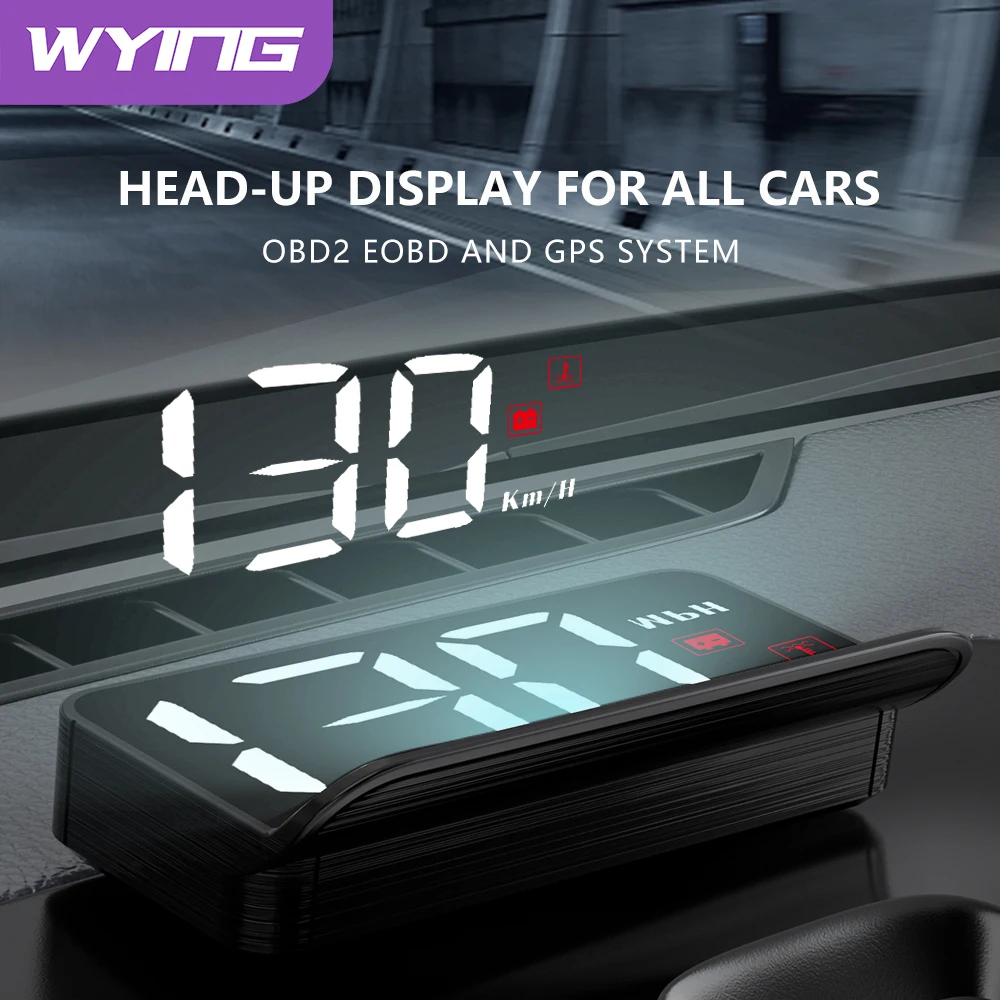


WYING M3 Auto OBD2 GPS Head-Up Display Car Electronics HUD Projector Display Digital
Car Speedometer Accessories For All Cars
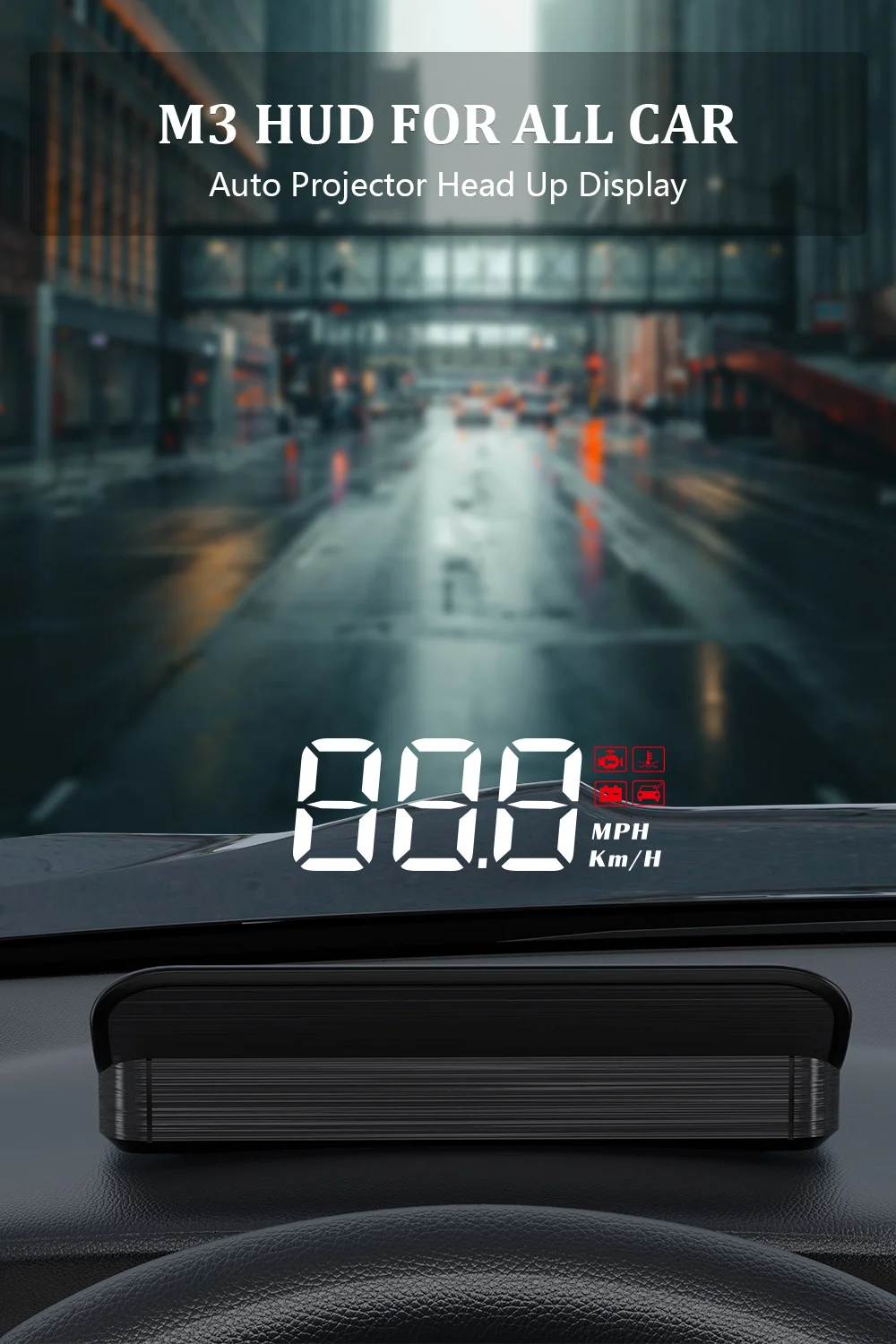
Product Functions
Note
OBD2 Version: Compatible for: Cars in OBD2 system
When you’re ready to place an order, but you don’t know whether your car is compatible with the HUD, you can contact with us! We’re glad to help you!
GPS Version: Compatible all cars.

OBD2 Version
It works when the car is running, and turn off when the car’s ignition is off.
OBD2 Display data: Speed, coolant temperature, voltage, mileage, clear faulty code.
Alarms: over-speed alarm, high water temperature alarm, low voltage alarm, fault code alarm, fatigue driving alarm.
Automatically turn on or off: After the engine is turned off for 30 seconds, the HUD will automatically shut down; when the engine is started, it will automatically display after 5 seconds. Our HUD with a switch, which can be turned on and off manually. If you do not drive for a long time, it is recommended to manually turn off the HUD.

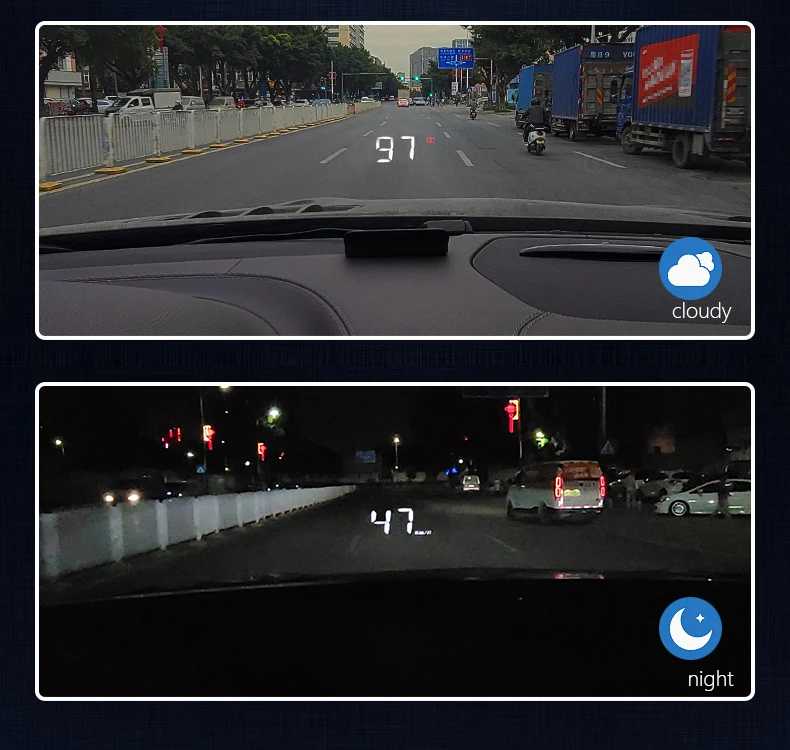
The brightness can automatically adjust by environment
GPS Version
It is compatible with all cars! And supports over-speed alarm.
Product working voltage is 5V, and it is forbidden to use a voltage higher than 5V for power supply. Some vehicles voltage are highter than 5V, it doesn’t matter. Our package included a usb cable, you need to plug usb cable in cigarette lighter, and connect it with HUD.
Number of search satellites.
Compass: N (North) E (East) W (West) S (South).
Vehicle speed display,Speed unit: MPH- mile, KM/H- kilometer.
Fatigue Driving Alarm: Fatigue driving alarm is 4 hours, user can freely set this time or turn off this alarm, setting time range: 1-8 hours.

Multi-function switch and use the newest upgrade hardware
4 major functions can be switched


Product Size
Screen Size: 3.2 inches
Display Type: Windshield
ProjectorDimension: 8.6×3.7×1.6cm

Integrated shading design
Covering the screen light, not buzzing at night driving

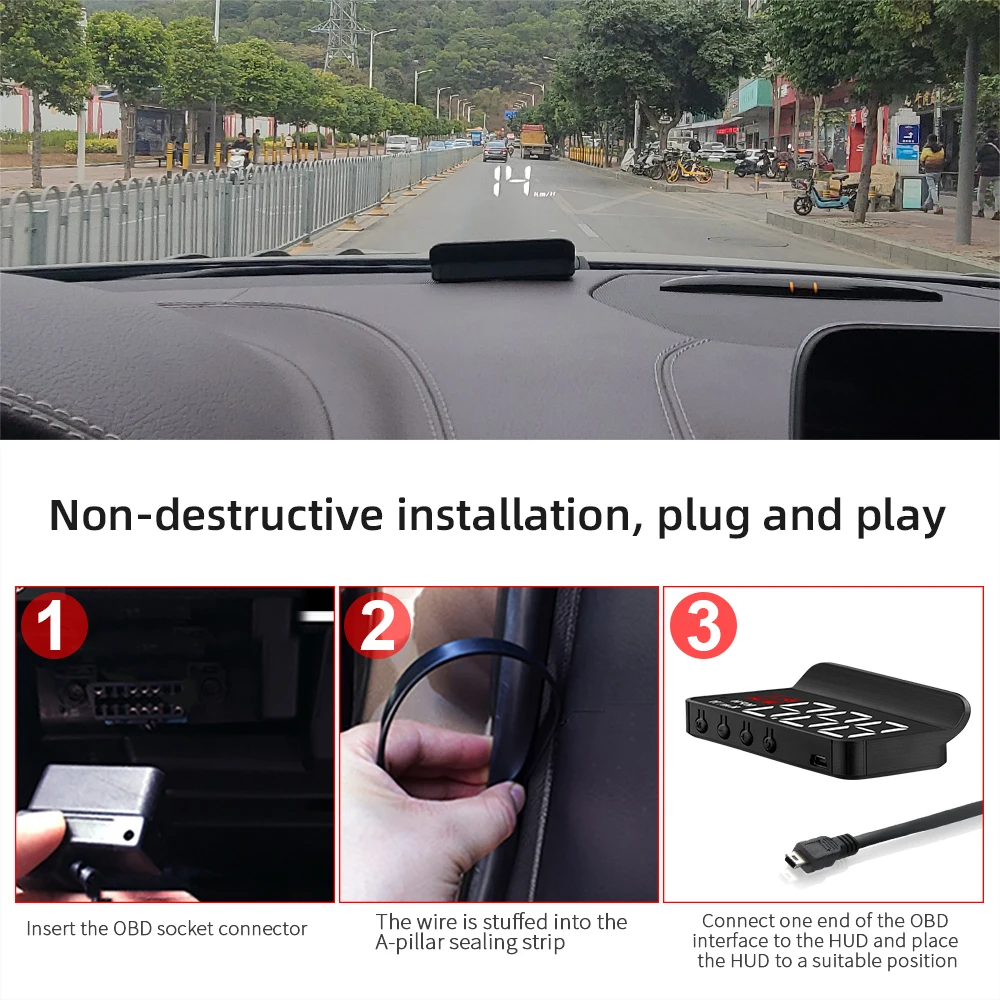
Easy to install
Step1: Insert the OBD socket connector.
Step2: The wire is stuffed into the A-pillar sealing strip.
Step3: Connect one end of the obd interface to the HUD and place the HUD to a suitable position.

OBD2 Version
(It is compatible with OBD2 and EOBD system, it supports over-speed alarm.)
1.Multi function: Speed, Water temperature, Voltage
2.Short Press the button “M”
To switch voltage, water temperature,vehicle speed,enter into menu setting to switch menu options or parameter values
Long Press the button “M”
To enter into menu settings (see instructions for Menu 1-12) and press 5 seconds to save and exit
3.Short Press the button “-“
Menu – and parameter value –
Long Press the button “-“
To turn on and off the buzzer(default choice is buzzer on,you can freely choose to turn on or off)
4.Engine icon, Water temperature icon
5.Voltage icon, Fatigue driving icon
6.Light sensor:HUD can automatically adjust the brightness according to the environment
7.Speed unit: MPH- mile, KM/H- kilometer
8.OBD connection port
9.Power switch
Long press for 5s to turn off,again to turn on
10.Short Press the button “+”
Menu + and parameters value +
Long Press the button “+”
Long press till the screen is all on, and the fault code is eliminated, long press again to exit

GPS Version
(It is compatible with all cars! It supports over-speed alarm!)
1.Satellite icon: After the satellite is found, it stops flashing and goes out before it can be used normally
2.Light sensor: HUD can automatically adjust the brightness according to the environment
3.Short Press the button “M”
To switch vehicle speed, satellite number, enter into menu setting to switch menu options or parameter values
Long Press the button “M”
To enter into menu settings (see instructions for Menu 1-6) and press 5 seconds to save and exit
4.Short Press the button “-“
After entering the settings, Menu – and parameter value –
Long Press the button “-“
To turn on and off the buzzer (default choice is buzzer on,you can freely choose to turn on or off)
5.Buzzer
6.Compass: N (North) E (East) W (West) S (South)
7.Vehicle speed display: display the current vehicle speed
8.Speed unit: MPH- mile, KM/H- kilometer
9.OBD connection port
10.Power switch
Long press for 5s to turn off, again to turn on
11.Short Press the button “+”
After entering the settings, Menu + and parameters value +
Long Press the button “+”
The screen is all on, and the fault code is eliminated, long press again to exit
Please Note:
OBD system is suitable for most cars after 2007.
OBD2 model can work for OBD2 gasoline vehicles produced after 2004 in USA, and OBD2 gasoline vehicles produced after 2008 in other countries.
OBD2 model is not applicable for the following cars:
Package List:
1 x HUD
1 x Manual
1 x OBD Cable or GPS USB Cable
1 x Reflective film
1 x3M Sticker
Guarantee
Our products support 7-day free returns! So if there is any problem with the hud I received, don’t worry about how to return it.
Shipping out package within 24 hours!
Ship From KR/RU/PL Local Warehouse/Chinese Warehouse
Fast delivery: Korean 3-5 day / Russian 5-10 day / Poland 5-10 day.
Please do not leave bad reviews in advance! Contact us and let us know if you have any questions! We are happy to help!
Thank you! my dear friend!
FAQ:
Speed error: A little speed error is mainly because the car factory has processed the actual speed of the car for the safety of the car owner, so the speed displayed on the normal instrument panel has an error with the speed displayed by the HUD, but this can be adjusted until the HUD and the instrument panel display speed are the same. Please contact with us! We will send you a digital user manual, which clearly describe how to adjust the speed error, you can use Google translation tool to translate the manual to your country language!
Please Note:
OBD system is suitable for most cars after 2007.
OBD2 model can work for OBD2 gasoline vehicles produced after 2004 in USA, and OBD2 gasoline vehicles produced after 2008 in other countries.
OBD2 model is not applicable for the following cars:


FQA:
How to Install the HUD:
1. Insert the product into the check port on the vehicle;
2. Insert the other end of the product into the data interface of the host;
3. After the product is inserted into the host and the car is started, wait for the communication linkage between A202 and the car;
4. After the linkage is successfully established, the host will send a “drop” sound, at the same the display screen displays vehicle protocols and then indicates that it is the first time the product is used to set up parameters. (International universal OBD plug protocol definitions stipulated by SAE).
Common problem:
Q1: Why does it automatically turn off after a period of time?
A1: Its default sleep time is 30s, So when your engine is turned off, it will automatically turn off after 30s .please choose “Sleep Time Set” to set the sleep time.
Q2: Why my car dashboard lights or fault alarm lights are caused to be lit up abnormally?
A2: When used in some cars, car dashboard lights or fault alarm lights are caused to be lit up abnormally, choose”Product inf” -“Matching inf” to see the solution, and use needle-nose pliers to twist off excess pins to eliminate such phenomena.




J***Z –
Works excellent!!
S***n –
I was buying and writing it in the past, but the company said I should find out that it looks good after seeing it. I just bought it and presented it to you. I am very satisfied and used it, so I recommended it very much.
a***r –
Shipping fast and cost-free, good looking and good without attaching glass reflective film
g***n –
The price is cheap and the delivery is really 4 days. If it is really fast, Santa Fe DM is perfect for OBD2 and the line is enough and the line is made elongated, and if you press it into the gap, it will easily enter. It looks good enough even if it’s nice, and the speed fits well with the four, and there is a little error with the control panel. It helps a lot to see. I wish you a lot
Customer –
I arrived early, it looks very good I will continue testing and install it well to see its operation
Customer –
The truth exceeded my expectations, it works wonderfully and its operation is great. I really think it acquires another article just as it works wonderfully
Customer –
I’m looking forward to trying it out
J***y –
works great
D***e –
This is quite good. Look up the test screen. The prize is not in focus in the picture, but it is actually clear when you see it. And it’s great if you don’t install the reflective plate in the components? I saw it at night, but? I think I should see it later in the day.
d***a –
Top too much than Loko, I liked it too much. My car is running 270 km now
a***r –
This Hud digital display is amazing! I really like how easy it is to set up and good it displays onto my windows. I have tried this in a 2016 and 2021 Chevy Equinox, both have worked equally well.
L***M –
This drum knife sharpener is really convenient and easy to use. Thanks to interchangeable grindstones, you can choose a suitable grain for any knives. The device allows you to maintain the desired sharpening angle, which is especially useful for beginners. Stones are easily changed without unnecessary tools, and the durable design of the sharpener provides a long service life. Knives After sharpening become sharp as new. The only negative is that it takes time to get used to the rotation of the drum.
A***e –
The HUD is very practical. Very small, but with letters in sufficient size… now if you want a very large numeral, choose another variation of this product… but for the 99% of the drivers it is an excellent size. The OBD cable is big enough for u to go through any side of the panel.
A***z –
I loved
Customer –
Works fine. Satisfied
Customer –
Pretty good for the price!
C***e –
works really good
Customer –
Good very happy. Does what it says it does. Was 3km off but easy to adjust the device. 13 to go now.
m***e –
Nice
E***l –
worked better than I expected